
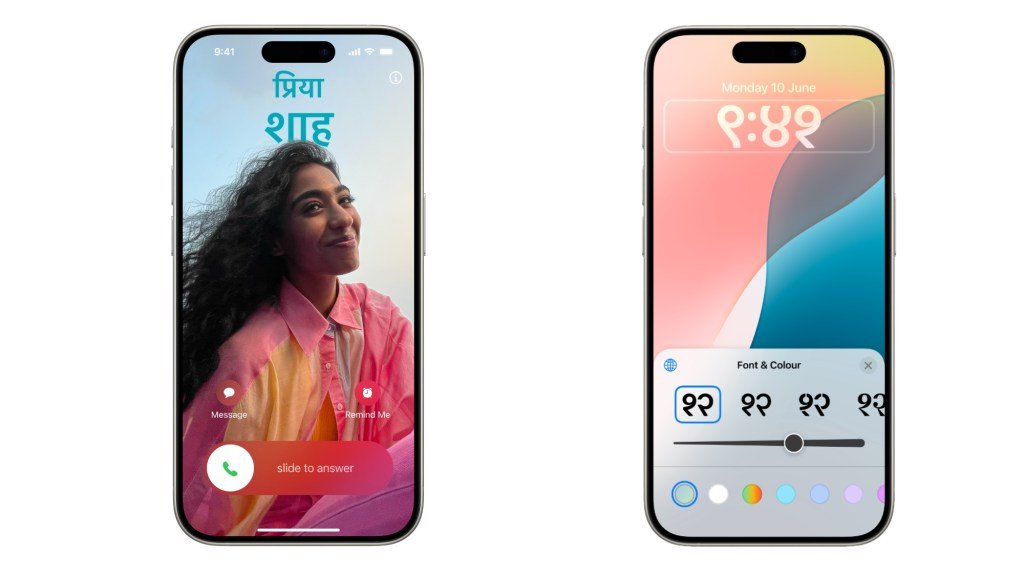
Apple introduced iOS 18 at its Worldwide Developer Conference (WWDC) last month. Since then, the company has rolled out two developer betas with expanded language support for the lock screen, Siri, keyboard, and search on iOS 18.
With the latest update, users can now customize the lock screen to display time in various numeral systems with support for 12 languages, including Arabic, Arabic Indic, Bangla, Devanagari, Gujarati, Gurmukhi, Kannada, Malayalam, Meitei, Odia, Ol Chiki, and Telugu.

The keyboard on iOS receives several updates, such as trilingual predictive typing support system-wide. Users can now view additional language scripts on the sides of the suggestion field and effortlessly switch between them. Moreover, they can type in Latin text and receive suggestions for all three languages without switching.

In the Messages app, the keyboard can now remember the last language used in a specific thread with multiple languages. The trilingual keyboard supports English, Bangla, Gujarati, Hindi, Marathi, Punjabi, Tamil, and Telugu. Additionally, iOS 18 also introduces support for a Korean and English multiscript keyboard.
iOS 18 also enhances language search functionality, allowing users to search for variations in spellings within a language. For example, users can search for both 'चंद्र' and 'चन्द्र' in Hindi. The updated language search supports Assamese, Bangla, Devanagari, and Gujarati.
Other language-related updates in iOS 18 include:
- Live voicemail transcription support in Indian English.

- Translate app support for Hindi.
- Live text feature support for Arabic.
- New grammar engine for Hindi and Korean.
- Contact posters creation using Indian languages and numerals.
Apple will release the public version of iOS 18 this autumn for all users. The features mentioned above will be available in beta versions of iOS 18, which may contain bugs, so it is advisable not to install them on your primary device.
Here are the best WWDC 2024 features you missed


